
MP3, AAC, WAV, or WebM? The Creator's Guide to Audio File Formats
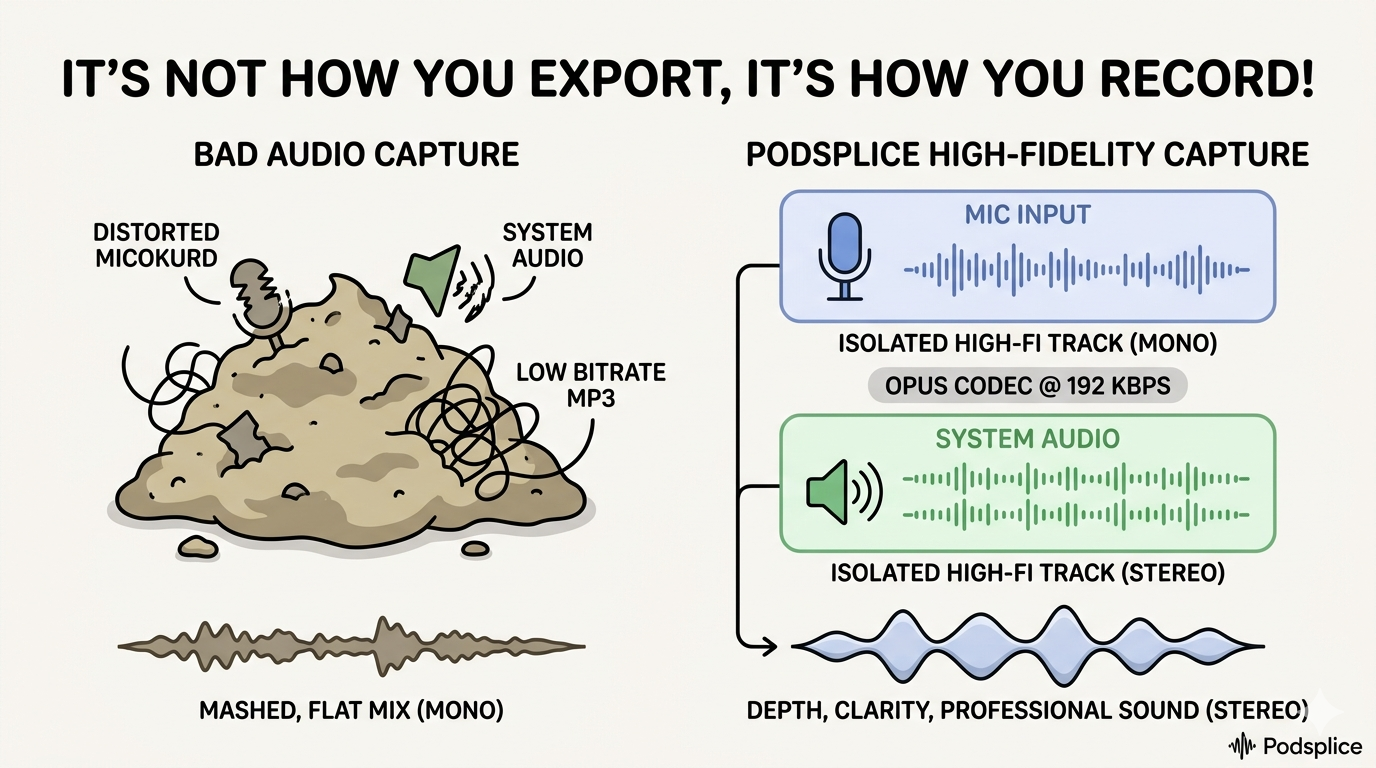
The Secret Most Creators Miss: It's Not How You Export, It's How You Record
When my brother Addison and I started building Podsplice, we realized that most creators and podcasters have no idea about audio recording. They spend hours worrying about whether to export as an MP3 or a WAV, but they ignore the most critical step: The Capture.
If you record your voice into a low-quality, compressed format, that data is gone forever. You can't "upscale" audio. Choosing a file format at the end is just picking the wrapper. Choosing the format at the start is choosing the quality of the ingredients.
The Quick Answer for Podcasters and YouTube Creators
If you're a podcaster, a YouTuber, or someone making reaction videos, here's the cheat sheet before we go deep:
For screen recording and reaction videos: Record in WebM using the Opus codec. This handles your mic and your system audio simultaneously without drift or sync issues — more on why in a moment.
For podcasting and YouTube, the format depends on where you are in the process:
For Recording: Use Opus. It captures more detail than MP3 at half the file size.
For Editing: Use WAV or Opus. You want the "master tape" quality.
For Final Upload: Use AAC. It's what YouTube and Spotify actually want.
A note on mic audio vs. system audio: Your microphone and your system audio are not the same type of signal, and they don't need to be recorded in the same format. Your mic is a single-source, voice-only signal — record it in Mono. Your system audio (music, game sounds, video clips) is a full stereo mix — record it in Stereo. Combining them correctly is what gives reaction videos that sense of depth where your voice sits "in front of" the content you're reacting to, rather than everything blurring together into a flat wall of sound. A tool like Podsplice handles this split automatically, keeping each track in the right format so you don't have to think about it.
Now here's why all of this is true — and why it matters more than most creators realize.
With Podsplice, you don't need to worry about any of this because we made it with all of the best recording specs as a default.
However, it is interesting and useful to understand how all of this works and fits together.
First: The Two Things Inside Every Audio File
Before we talk formats, you need to understand one distinction that almost nobody explains clearly — and that makes everything else click.
Every audio file is actually two things in one: a codec and a container.
The codec is the engine. It's the mathematical process that compresses and decompresses your audio — the thing that decides how much of your original recording to keep and how much to throw away. MP3, AAC, and Opus are all codecs.
The container is the car. It's the outer wrapper that holds your audio (and sometimes video, subtitles, and metadata) together in a single file. MP4, WebM, and MOV are all containers.
Here's why this matters: a codec and a container are not the same thing, but they're often confused because many containers are named after the codec they usually carry. An MP3 file is technically an audio container holding MP3-encoded audio. An MP4 container usually holds AAC audio paired with H.264 video.
If you mix the wrong engine with the wrong car, you get a file that either won't play, won't sync, or quietly loses quality every time it gets processed.
With that foundation in place, let's go format by format.
WAV: The Original Master Tape
WAV is the oldest format on this list and the simplest to understand. It does almost nothing to your audio. When your microphone captures your voice, WAV stores it essentially as-is — every sample, every detail, no compression, no decisions about what to keep or discard.
Think of WAV as a physical master tape. A recording studio doesn't mix straight to MP3. They record to tape (or the digital equivalent), do all their editing on that master, then create compressed versions for distribution. WAV is your master tape. It is the source of truth.
The trade-off is size. A WAV file of a one-hour podcast episode can run 600MB to 1GB. That's not a file you're uploading to Spotify. But it's absolutely the file you should be archiving, editing from, and treating as your original.
If you're doing detailed post-production — cutting, layering, adding music, adjusting levels — you want to be working from a WAV file. Editing a compressed format like MP3 introduces a form of generational loss, which we'll get to in a moment.
Use WAV for: archiving originals, professional editing workflows, any situation where you need the absolute ceiling of quality before you compress for distribution. Don't use it for uploading to platforms or sending to guests — it's simply too large to travel efficiently across the internet.
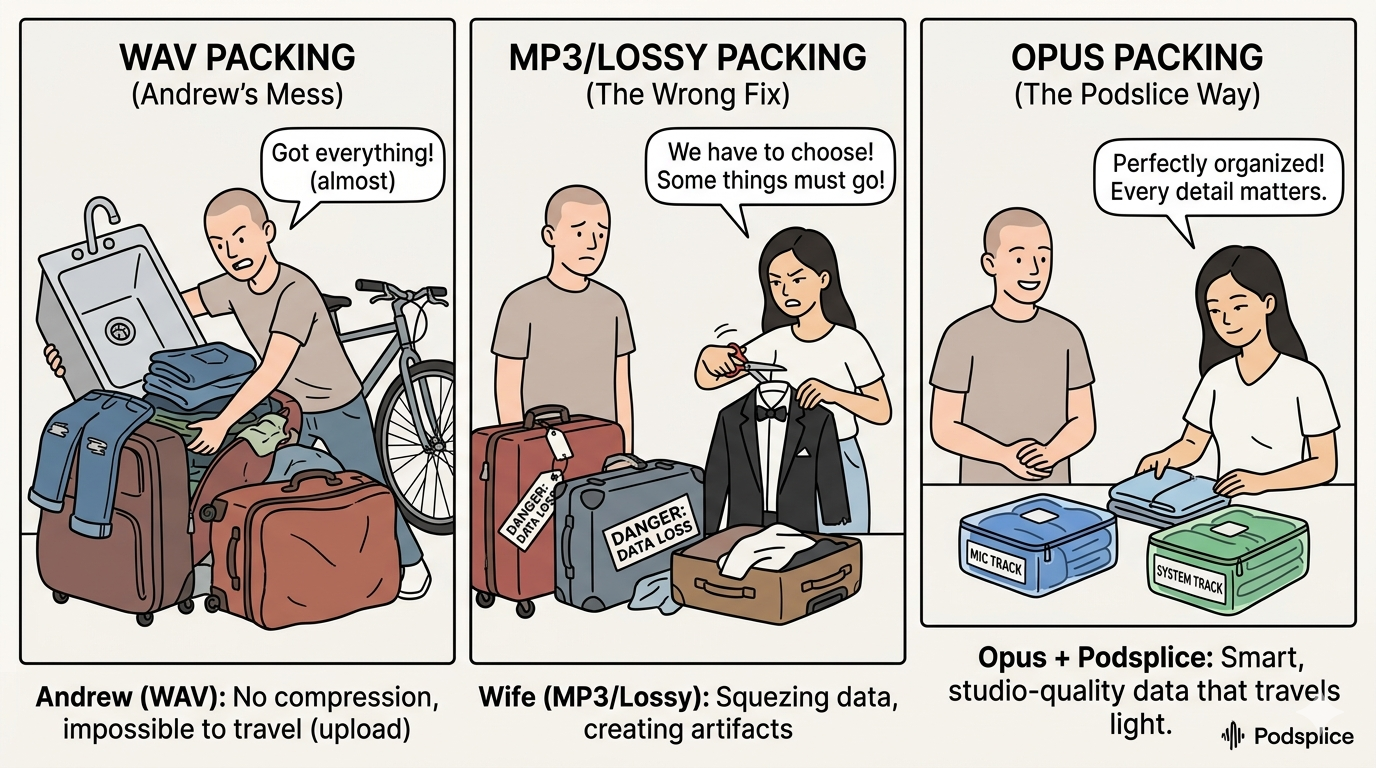
A WAV file reminds me of how I like to pack for a vacation. I'm too lazy to choose the right stuff and pack neatly, so I just grab pretty much all my clothes, throw them into a few suitcases, and think I'm ready.
The problem is that it's far too expensive and annoying to bring so many extra clothes. My wife gets angry every time, and she ends up removing stuff I don't need, repacking everything I do need neatly, and putting it into one carry-on suitcase.
The repacking part is a form of compression. As you can imagine, some people are better than others at packing. It is absolutely possible to bring far too many things, like the old saying, "I brought everything except the kitchen sink!" But it's also possible to remove too many things in the "optimizing" process. For example, if my wife thinks I only need 3pairs of underwear for a 3-week trip, she's badly mistaken!
MP3: The Format That Changed the World, and Its Age Is Showing
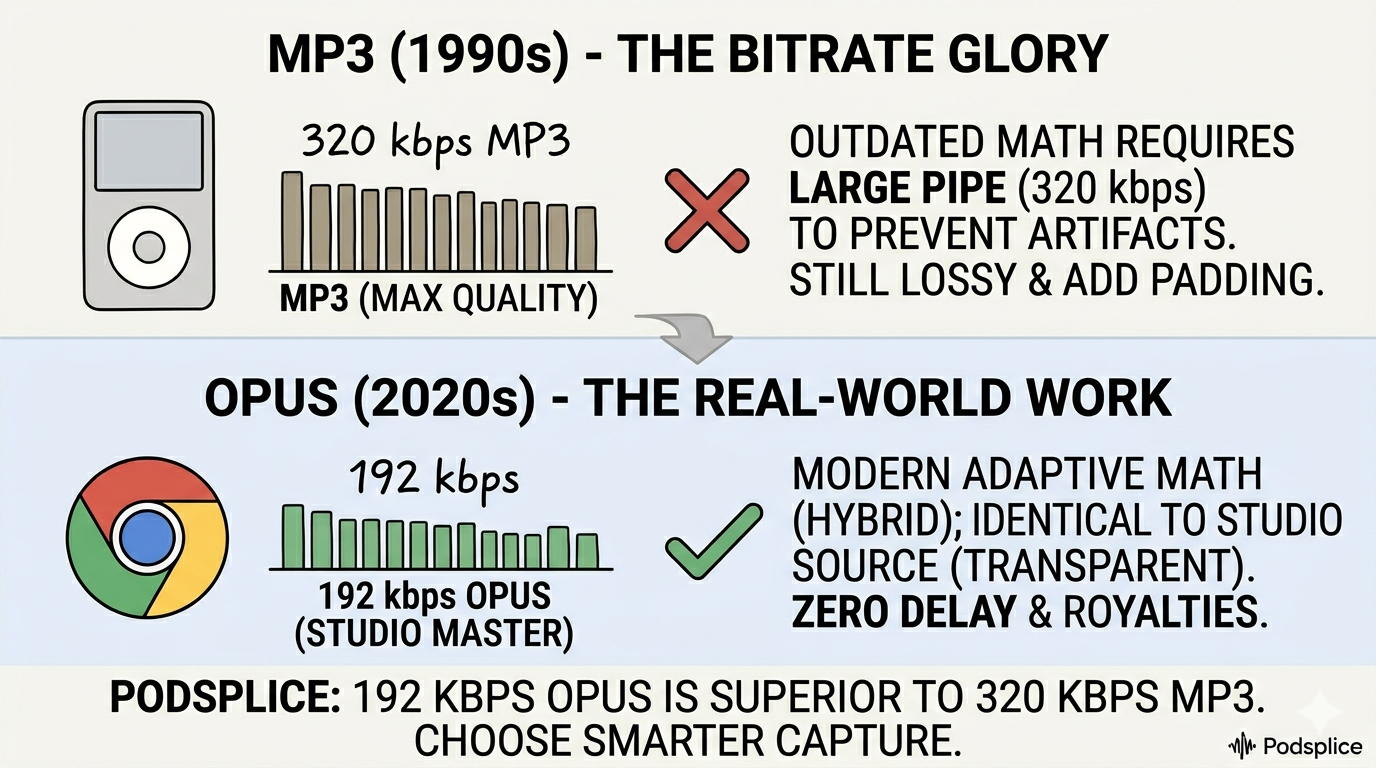
MP3 was created in the early 1990s, and it genuinely changed human culture. The ability to compress a CD-quality song down to a fraction of its size — small enough to share over early internet connections — was revolutionary. For decades, MP3 was simply synonymous with digital audio.
The problem is that MP3 was engineered for the constraints of 1992. The compression algorithm it uses is outdated by modern standards, which means it has to throw away more of your audio to achieve the same file size as newer formats. At low bitrates, that trade-off becomes audible — a kind of swirling, underwater quality that audio engineers call "compression artefacts."
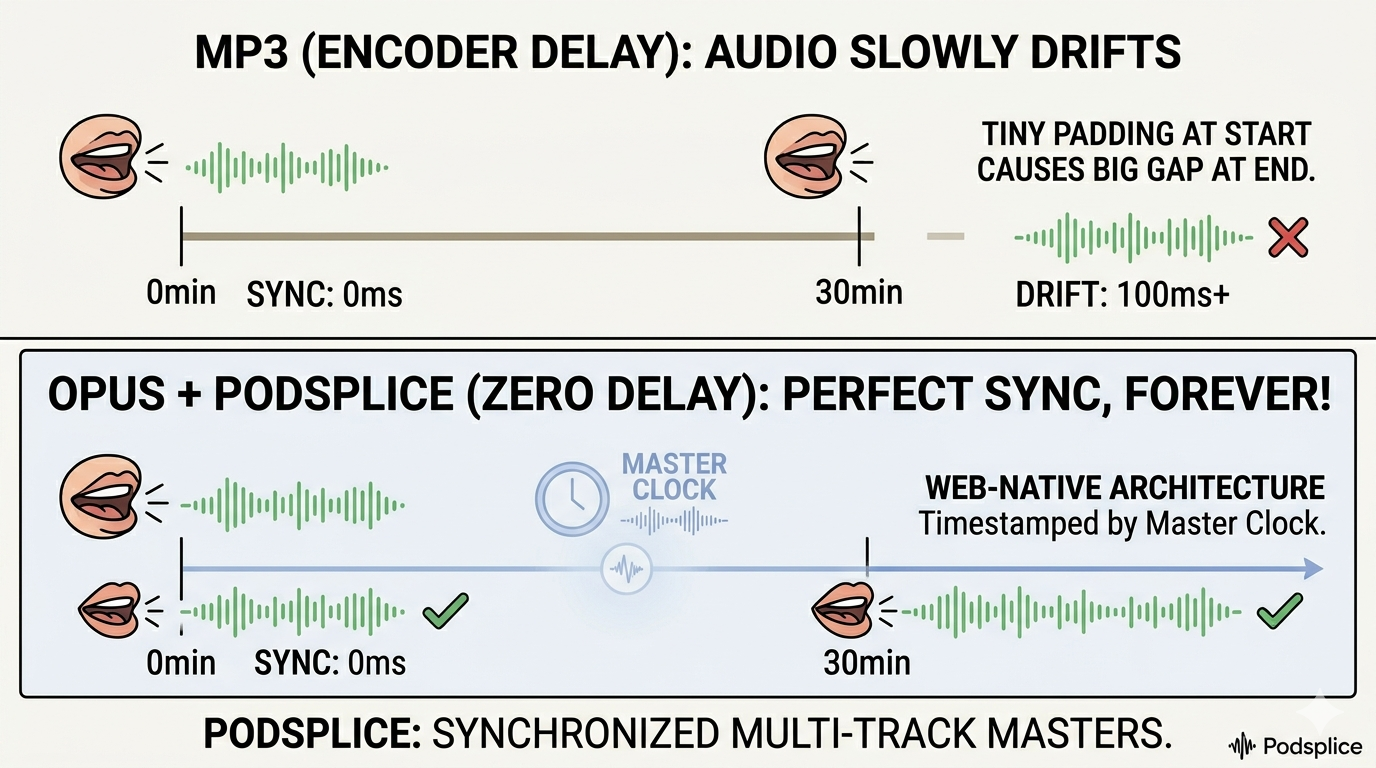
But the deeper problem for creators is something called encoder delay. Every MP3 file, by design, has a tiny slice of silence padded onto the beginning and end of the audio. We're talking milliseconds — something you'd never notice listening casually. But if you're syncing your voice to a screen recording over a 30-minute video, those milliseconds compound. By the end of the video, your mouth and your words are visibly out of sync. It's a structural flaw baked into the format, not something you can edit around.
MP3 is also what's known as a lossy format — once you compress audio to MP3, the discarded information is gone permanently. And if you re-encode an MP3 (open it, edit it, export it again as an MP3), you're compressing already-compressed audio. Each generation of compression throws away a little more. This is the "photo of a photo" problem — do it enough times and the degradation becomes obvious.
MP3 is the household name — the brand everyone knows because of the 90s. But in the tech world, MP3 is like a flip phone. It works, but it's outdated. Everyone has heard of an MP3 player, thanks to the original Apple iPod. But have you ever heard of an AAC player? I didn't think so.
Use MP3 for: sending a rough cut to a friend, maximum compatibility with very old devices, situations where someone explicitly needs an MP3 and nothing else will do. Don't use it for your master recordings, anything you'll edit and re-export, synced video content, or your finished professional deliverables.
AAC: The Format the Modern Internet Actually Runs On
AAC — Advanced Audio Coding — was designed as the official successor to MP3, and it does nearly everything better. Same file size, noticeably better quality. Or the same quality but smaller file size.
The mathematics behind AAC is simply more efficient than MP3's, which means less audio information needs to be discarded to achieve the same result.
If you've used an iPhone, watched YouTube, streamed Netflix, or listened to anything on Apple Music, you've heard AAC. It is the dominant standard for consumer audio delivery — built into every smartphone, every modern browser, every major streaming platform. When YouTube re-encodes your uploaded audio, it uses AAC. It is, in practical terms, the language the modern internet speaks.
The best analogy for understanding AAC versus MP3 is 1080p versus 480p DVD. DVD worked. People watched movies on it for years. But once 1080p became the standard, there was no reason to go back — not because DVD was broken, but because a better option existed at the same cost.
For creators, AAC has one particularly important property: it survives re-encoding better than MP3. When you upload a finished AAC file to YouTube, and YouTube applies its own compression pass, your audio starts from a higher-quality baseline and loses less in the process. Upload a low-quality MP3 to the same platform, and that compression pass is brutal — you're compressing already-degraded audio, and the result sounds metallic and thin.
Use AAC for: final exports destined for YouTube, social media, course platforms, anywhere your audio will be processed again by a third party before reaching the listener. Don't use it as your master recording (that's WAV's job), or in any workflow where you'll be editing and re-exporting multiple times.
MP3 Gets the Glory, But Opus Does the Work
Opus is newer, less famous, and technically superior to everything else on this list. It was developed as an open, royalty-free standard specifically engineered for the modern web — designed from scratch with streaming, browser-based recording, and real-time communication in mind, rather than retrofitted from a 1990s standard.
The headline number: Opus at 192 kbps sounds better than MP3 at 320 kbps. That's not a marketing claim — it's a measurable result of a more efficient compression algorithm. Opus achieves better quality at lower bitrates because its mathematics are simply more advanced than what was possible in 1992.
The deeper advantage is adaptability. Where MP3 treats all sound the same, Opus is intelligent. It functions like a Swiss Army knife for audio — handling high-fidelity music, low-latency voice calls, and everything in between, dynamically adjusting its encoding strategy based on what the audio actually contains at any given moment. It adapts its math to handle the "air" in your voice differently than it handles a bass-heavy music track. It's why your voice sounds warm on Podsplice but thin on other recorders.
Because Opus is royalty-free, any platform or developer can use it without licensing fees. This has driven rapid adoption — it's now the standard codec in WhatsApp voice messages, Google Meet, Discord, and browser-based recording tools, including Podsplice. It is almost certainly the dominant audio codec of the next decade.
The only meaningful limitation is legacy compatibility. MP3 plays on a 2003 CD player. Opus does not. For any situation requiring maximum compatibility with old hardware, Opus isn't the answer. For any modern digital workflow, it's the best available option.
Use Opus for: browser-based recording, modern streaming platforms, any workflow optimized for the web. Don't use it for exporting files to platforms that don't support it yet, or for compatibility with legacy devices and software.
The "Table of Contents" Trap: WebM vs. MP4
Codecs get all the attention, but containers are where creators actually lose work — sometimes entire recordings.
MP4 is the most familiar container. It holds video and audio together in one file, plays on everything, and is the standard export format of virtually every camera and editing suite. The problem is structural: an MP4 file isn't "finished" until the very last second of recording. The container stores an index of everything inside it, and that index only gets written at the end — like the table of contents at the front of a book, except the book has to be completely written before the contents page can exist.
If anything interrupts the recording before that final write — a browser crash, a dead battery, an accidental tab close — the index never gets written. The file exists on your disk, but without its table of contents, most software can't read it. In many cases, the recording is simply gone.
Addison and I chose the WebM container for one reason: we hate losing work.
WebM was built specifically for the web, and it solves this problem by design. Instead of writing everything and indexing at the end, WebM is an open box — it writes data continuously, dropping audio and video into the container second by second as recording happens. If your power goes out at minute 59 of a 60-minute interview:
MP4: You lose 60 minutes.
WebM: You keep 59 minutes.
It's the crash-proof insurance policy every creator needs. And it's not theoretical — it's the difference between occasionally losing recordings and never losing them.
WebM pairs naturally with Opus — they were both designed for the modern web and built to work together. The combination gives you a file that is crash-resilient, high quality, compact, and natively supported by every major browser.
MP4 pairs naturally with AAC and is the right choice for anything leaving the browser — final video exports, files going to a video editor, content being uploaded to platforms that require it.
Common Questions From Creators
Can't I just record in MP3 to save space? You can, but you're paying for that space with quality. MP3 adds tiny silences to the start of files that ruin your sync. We built Podsplice to avoid this drift entirely by using Opus, which has zero encoder delay.
Does YouTube really care about my file format? Yes. YouTube re-squashes everything you upload. If you upload a high-quality AAC or Opus file, your audio survives that second compression pass in good shape. If you upload an MP3, the final result will sound metallic and thin — you're compressing already-degraded audio.
Should my mic audio and system audio be in the same format? No — and this is one of the most overlooked details for reaction video and screen recording creators. Your mic is a single-source mono signal. Your system audio is a stereo mix. Record them separately, keep the mic in Mono and the system audio in Stereo, and combine them at the mix stage. This keeps your voice sounding present and clear while your system audio retains its full width. Podsplice handles this split automatically so you never have to think about it.
Is it better to record in Stereo or Mono overall? Record your mic in Mono, your system audio in Stereo. This gives your content a sense of depth without making your file sizes unmanageable.
What bitrate should I use for podcasting and YouTube videos? 192 kbps. That is what Podsplice uses as a default (most screen recording and podcast recording software use lower, and worse quality, bitrates). Learn more about bitrate vs sample rate vs bit depth.
What LUFS should I record in for YouTube and Podcasts? -16 LUFS. Again, this is how Podsplice works by default. Learn more about LUFS for screen recording.
How It All Fits Together: The Creator's Workflow
The formats aren't competing — they serve different stages of the same process.
You capture in the format that protects your recording. For browser-based tools like Podsplice, that's WebM + Opus. For traditional studio recording, that's WAV.
You edit from the highest quality source available. WAV if you have it. Opus or AAC if that's your master. Never edit from MP3 if you can avoid it.
You deliver in the format the destination expects. AAC in an MP4 container for YouTube and most video platforms. AAC or Opus for podcast distribution. MP3 only when a platform explicitly requires it and nothing else will work.
Every format decision is really just a question of what stage you're at and what matters most in that moment — protection, quality, compatibility, or size.
The Podsplice Standard — and Why
When we built Podsplice, the goal was to eliminate the entire category of "I lost my recording" and "my audio sounds worse after uploading." Every format decision reflects that.
Our Podsplice recording for screen recording, reaction videos, and remote podcasting uses Opus at 192 kbps — mathematically superior to MP3 at any bitrate, efficient enough to run in a browser without taxing your machine, and better quality than any legacy format at equivalent file sizes.
The container is WebM — so that a crash, a closed tab, or a dead battery doesn't erase an hour of your work.
When you export for distribution, AAC ensures your audio survives whatever compression YouTube, Spotify, or your course platform applies on their end.
You don't need to configure any of this. But knowing why these choices were made means you understand what's protecting your work every time you hit record.
Stop settling for legacy formats. Use Podsplice

About the Author
Andrew Best
Andrew Best is an entrepreneur, educator, and AI expert with over two decades in online marketing. He co-founded China232 — a podcast and learning platform with 10M+ downloads — and later 88Herbs, a premium supplement company. Andrew now focuses on helping creators leverage AI for podcasting, screen recording, and YouTube content through Podsplice.
More from Podsplice
Best Reaction Video Software: Why we Built Podsplice
Article
The Easiest Alternative to OBS for Screen Recording
Blog
How to Make Reaction Videos on a Mac: The Easiest Way in 2026
Article
How to Record YouTube Audio in a Reaction Video on Mac (Without QuickTime or Plugins)
Blog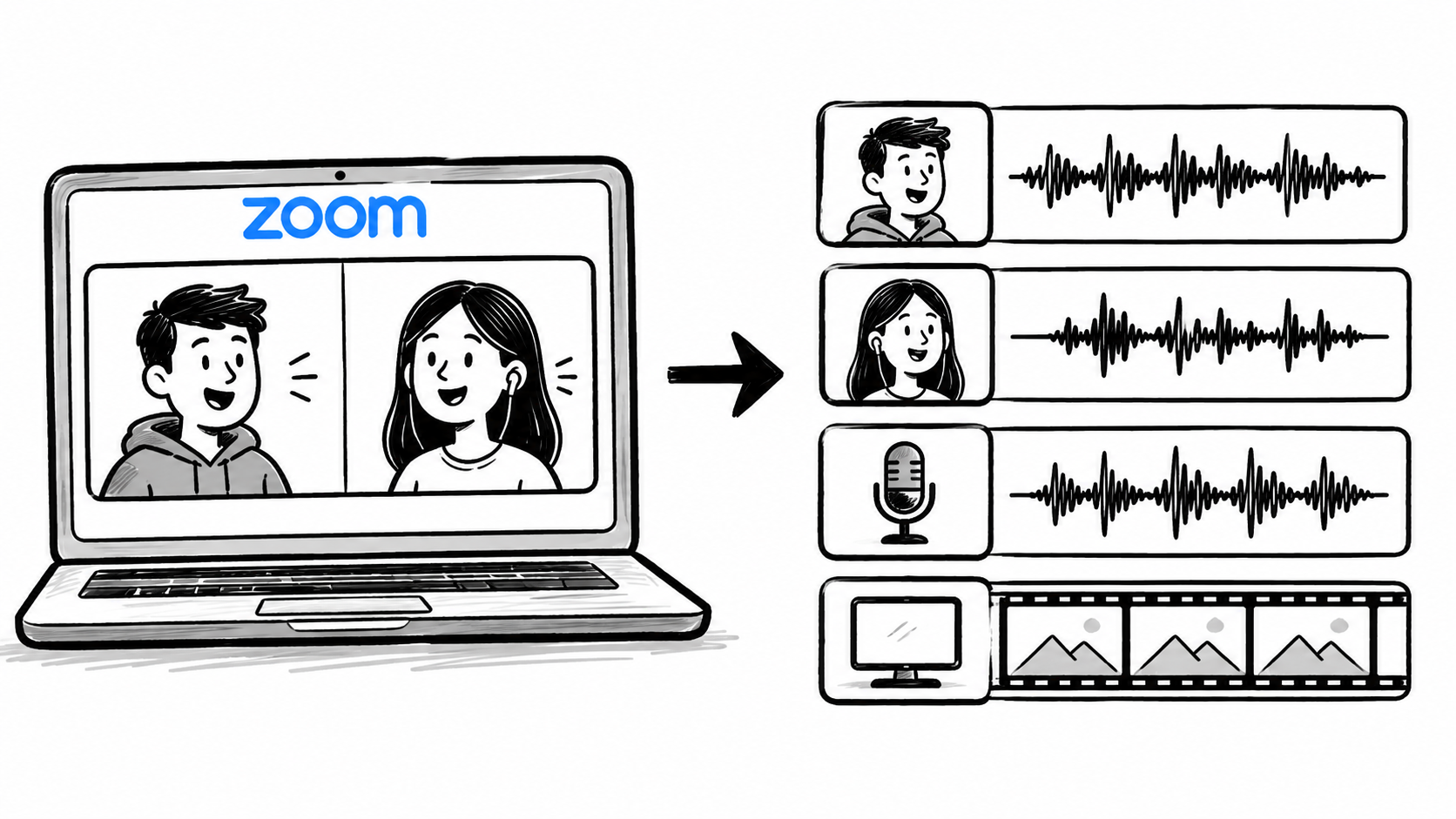
How to Record Zoom Meetings With Separate Tracks for Editing
Article
Start Recording in Seconds
No downloads. No setup. Just hit record and share your story with the world in studio quality.
Looking for a Screen Recorder or Remote Recording tool?