
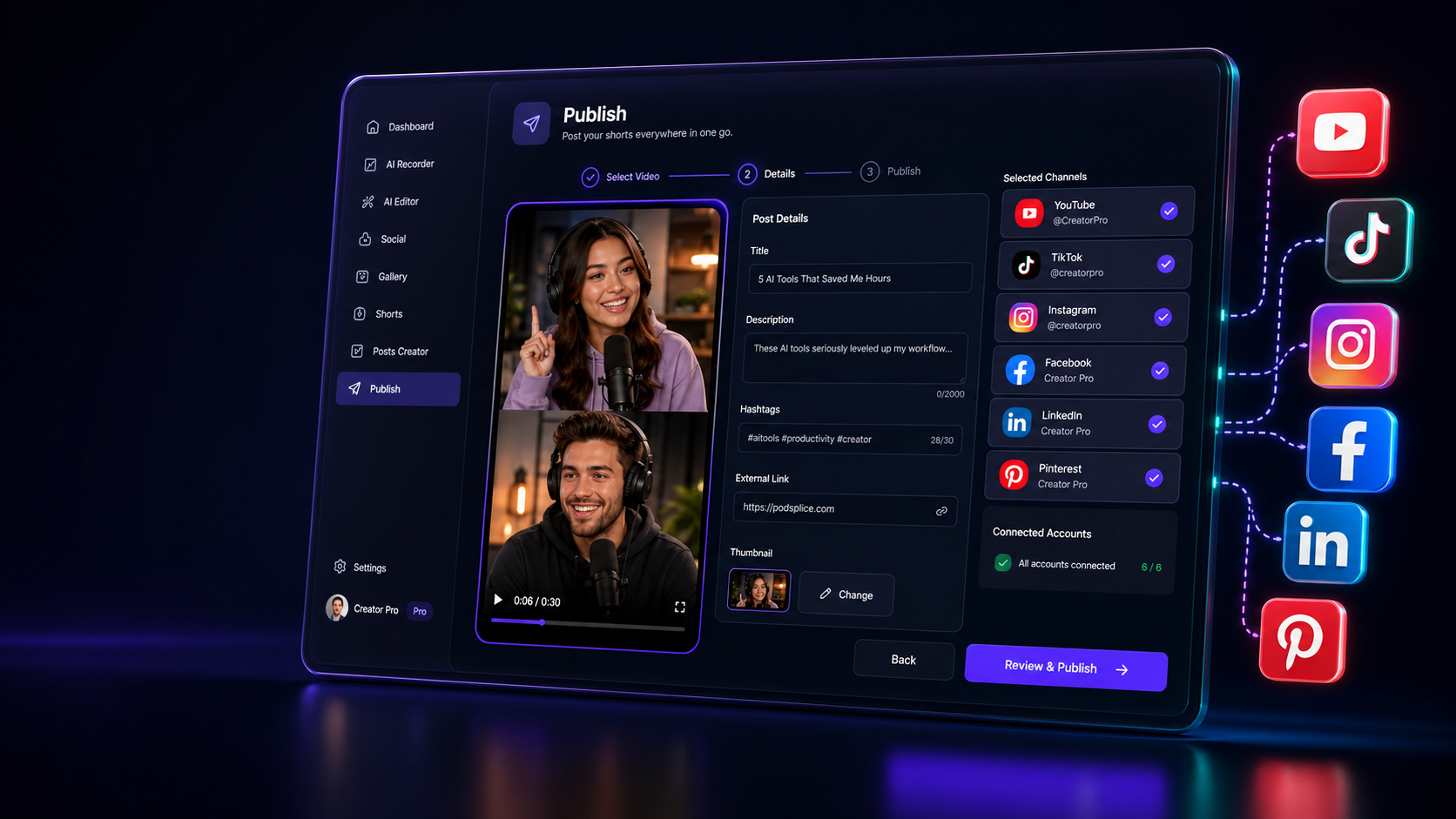
Post shorts to every channel without leaving Podsplice.
The publishing wizard
From finished clip to posted short in three clean steps.
Podsplice turns the repeated work of social posting into a focused workflow: select the video, add the post details, choose channels, and publish.
Step 1
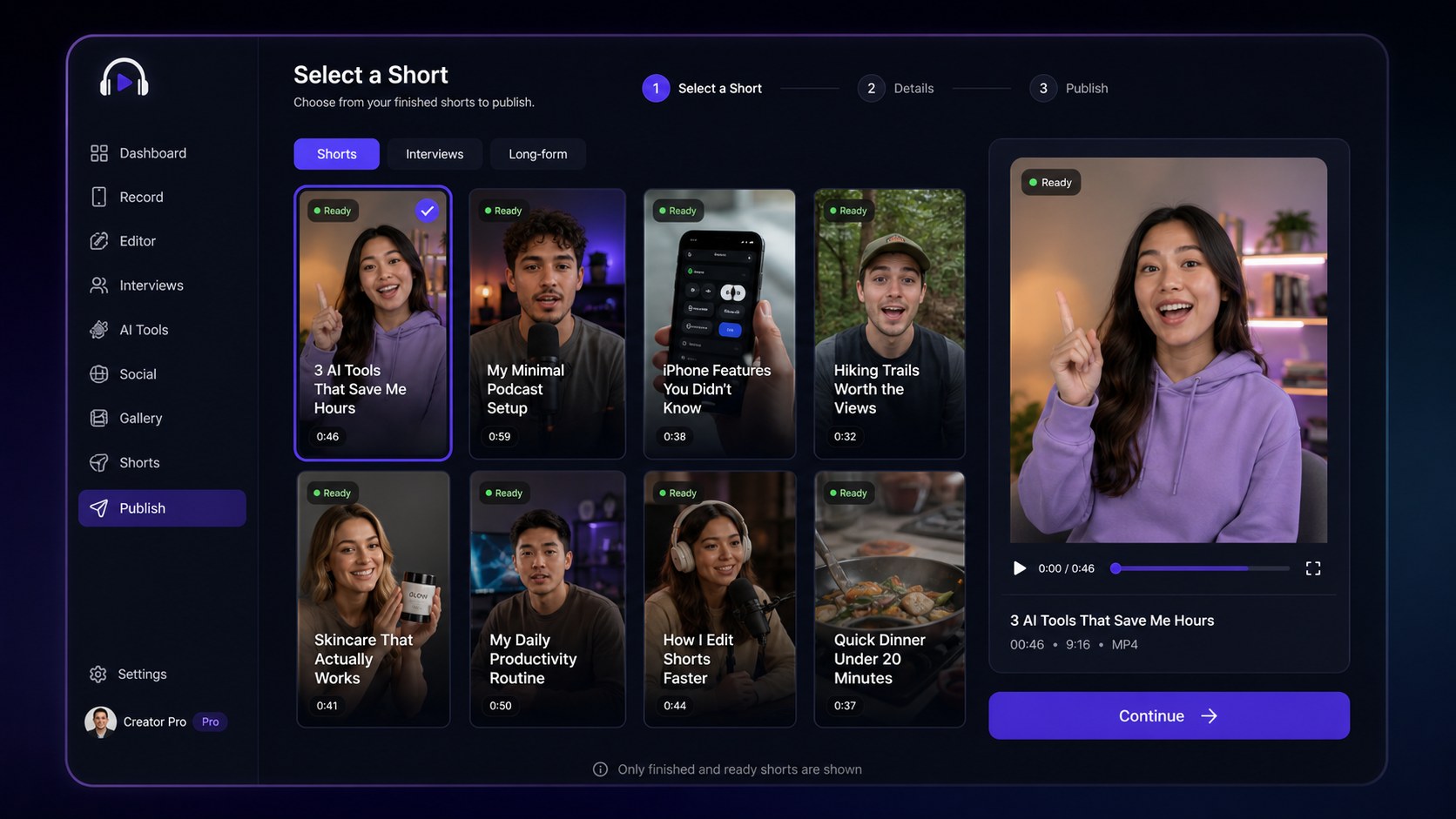
Choose and preview a short
Pick from recent processed videos, mobile recordings, interviews, or long-form clips, then confirm the vertical preview before posting.
Step 2
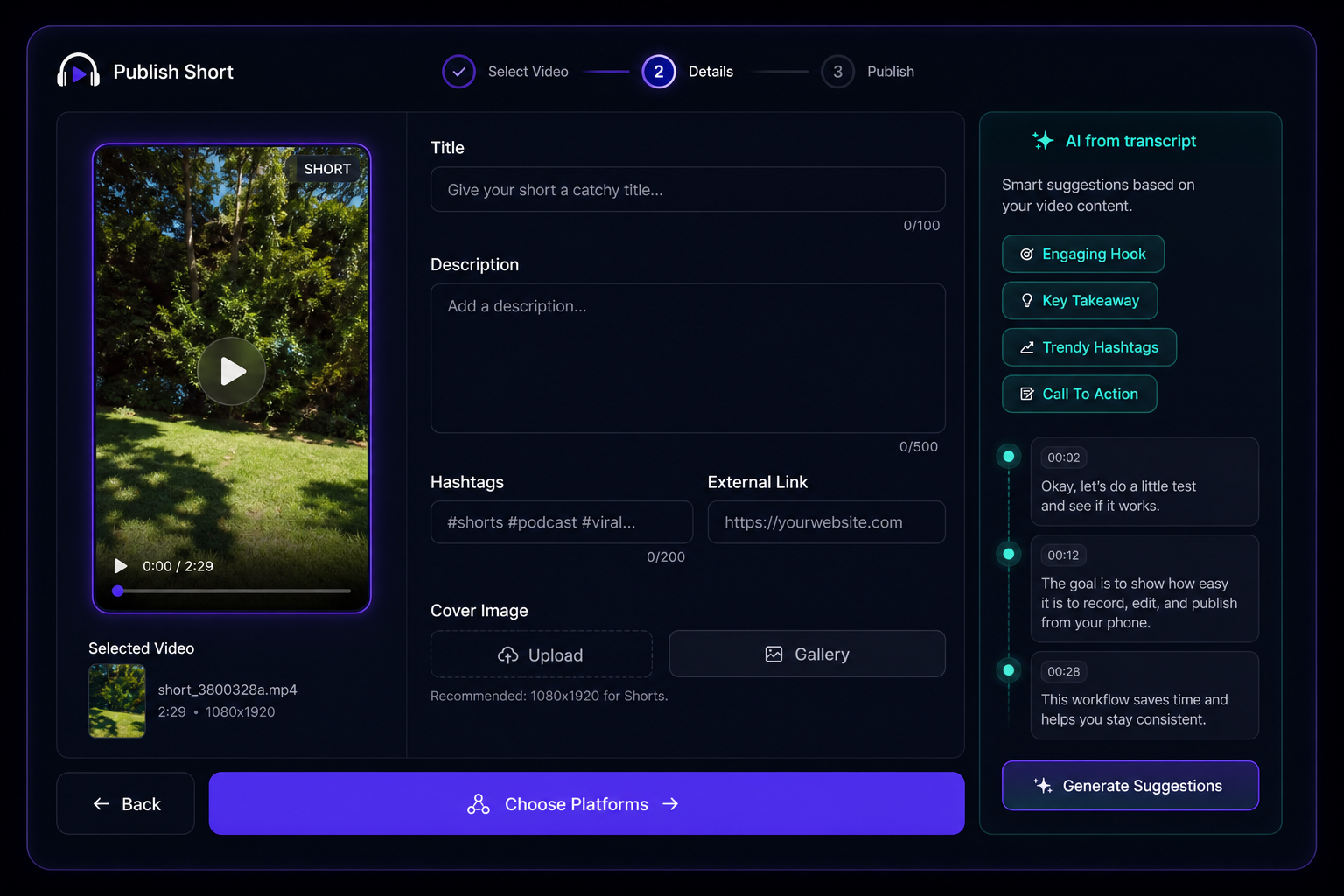
Fill in post details
Add title, description, hashtags, external link, and thumbnail. Soon, AI can help draft this from the transcript.
Step 3
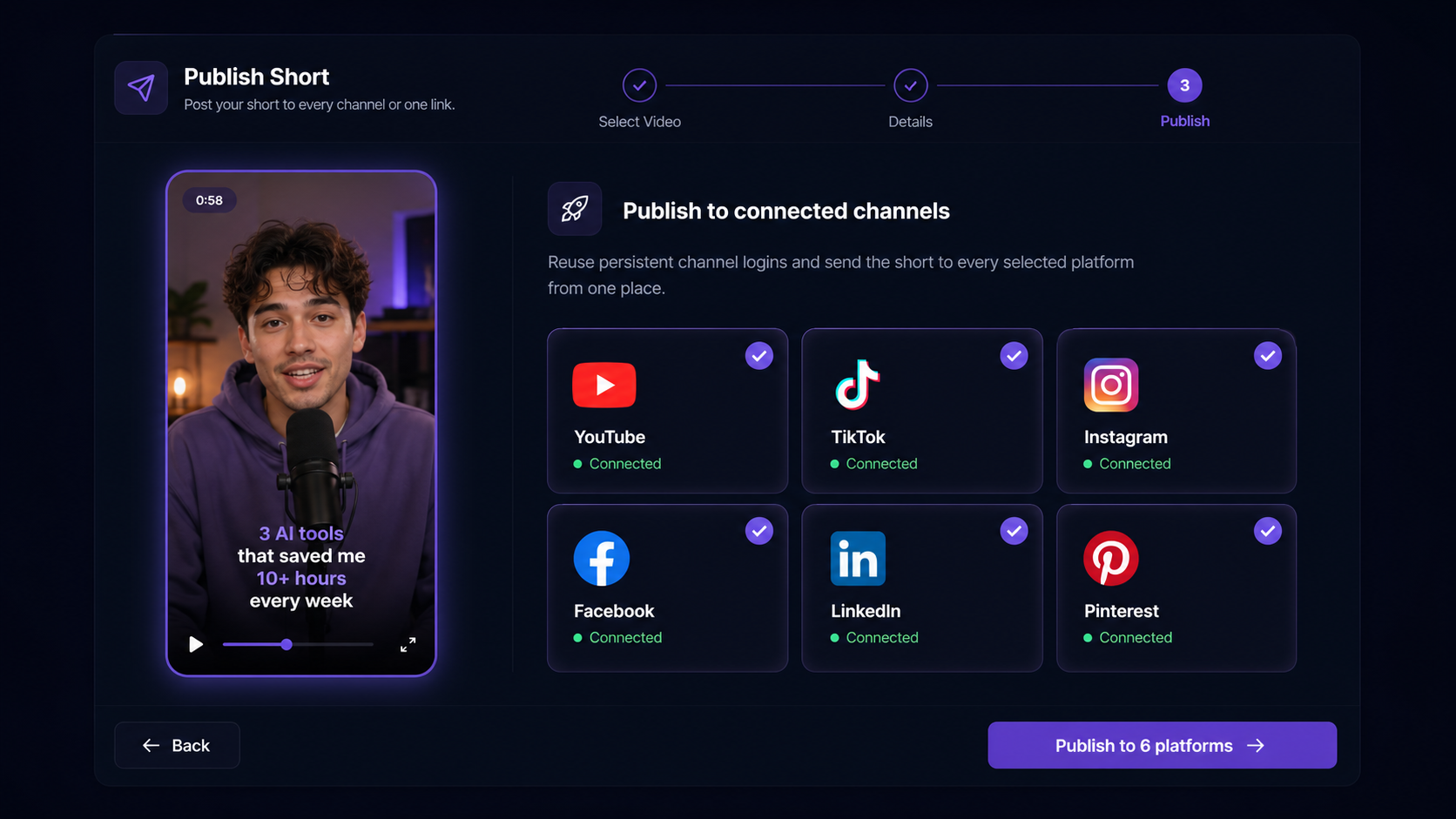
Publish to connected channels
Reuse persistent channel logins and send the short to every selected platform from one place.
Connected destinations
Create, then publish
Social posting starts with a short that is already ready to go.
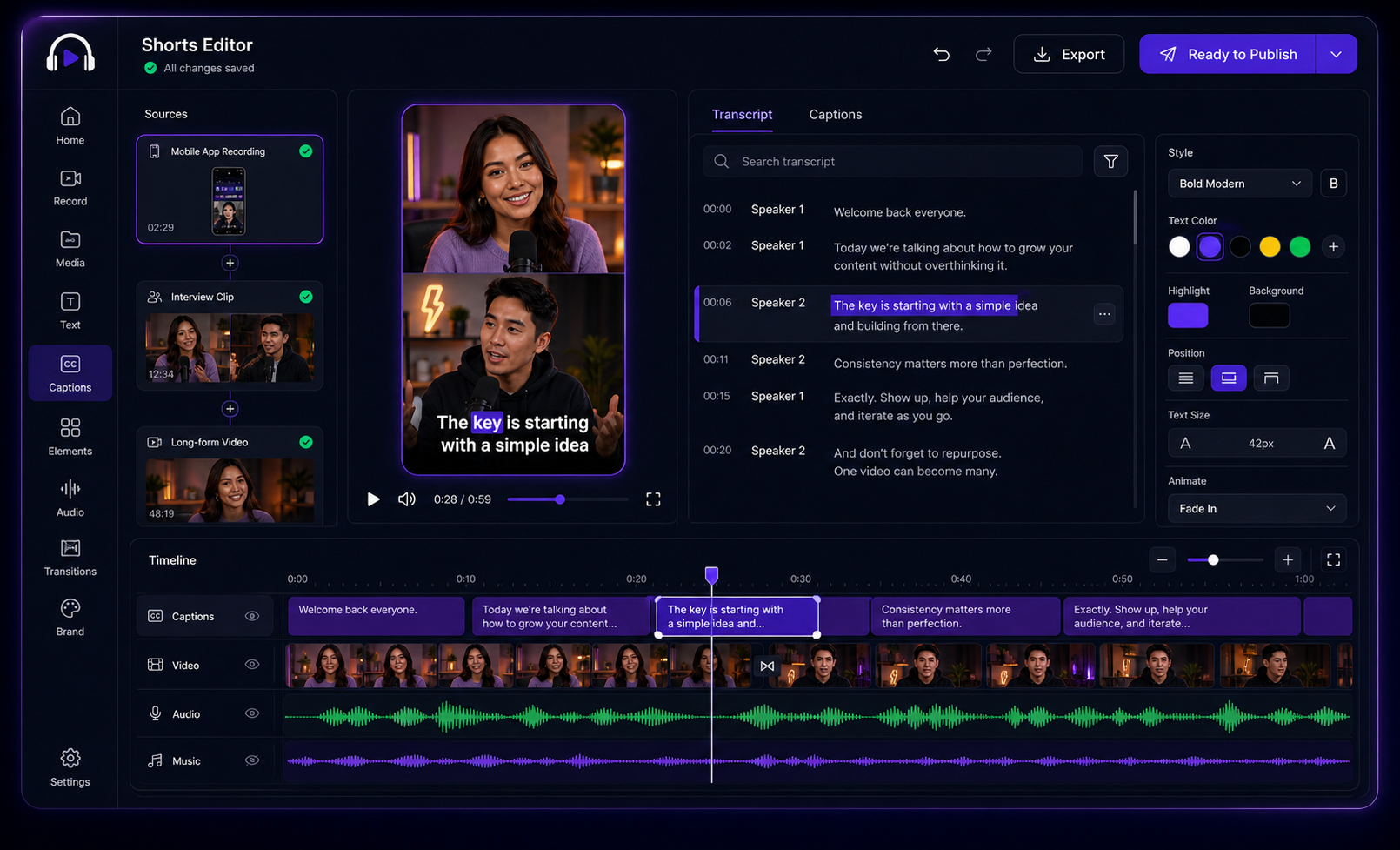
Make shorts natively from the mobile app, cut interviews into vertical clips, or turn long-form YouTube videos and tutorials into captioned posts. Once the short is ready, the publish wizard saves you from rebuilding the post across every channel.
Create natively on mobile
Record with the Android app, including screen, camera, mic, mobile audio, and Dual Camera reactions.
Repurpose interviews
Turn remote podcast interviews and conversations into vertical clips with captions.
Cut long videos into shorts
Use long-form YouTube videos, tutorials, product demos, or other content as short-form source material.
Why it matters
A huge time saver for repeat publishing.
The real win is not one upload. It is posting the next clip, and the one after that, without redoing the same channel-by-channel chores.
One publishing flow
Stop copying titles, hashtags, and video files into every social app by hand.
Persistent logins
Connect channels once, then keep posting more shorts without the same login friction.
Transcript-ready copy
The wizard is ready for AI-assisted post copy based on captions and transcripts.
Shorts-first workflow
Move straight from edited clip to captioned post to finished social upload.
Faster posting
Fill out one wizard instead of jumping between six upload screens.
Cleaner copy
Keep titles, hashtags, external links, descriptions, and thumbnails organized.
AI-ready
Transcript-based suggestions can make future post details faster to draft.
Social Publishing FAQ
How Podsplice helps you move from finished short to live post faster.
Ready to publish faster?
Create a short, choose the channels, and ship the post without rebuilding the same workflow in every app.
Open Publish WizardTurn one finished short into posts everywhere.
Create the short in Podsplice, choose your channels, and keep moving while your social workflow stays in one place.