
Turn podcasts, screen recordings, and videos into TikTok clips.
Podsplice helps you create vertical clips, generate TikTok post details from the transcript, stay connected to TikTok, and publish faster without rebuilding the same post by hand.
of TikTok users discover new brands and products on the platform.
TikTok For Business
TikTok users go there to research or learn more about new products or brands.
TikTok For Business
of users inspired by TikTok search followed through and performed an action.
TikTok For Business
of U.S. adults say they use TikTok daily.
Pew Research Center
Why post to TikTok?
TikTok is where clips become discovery assets.
TikTok describes itself as a global discovery platform, and the research backs up why creators and businesses keep testing short-form clips there. A podcast moment, tutorial, demo, or screen recording can become the first thing a new viewer sees from you.
TikTok is discovery
People use TikTok to find ideas, learn new things, research brands, and discover creators before they already follow them.
Short clips can move people
One strong clip can introduce the idea, build trust, and send people to watch more, visit a profile, click a link, or share the post.
People go there to learn
Pew Research Center found that just over half of TikTok users regularly get news on the platform, up from 2020.
Made for TikTok
Make short clips that fit the platform.
TikTok creative guidance emphasizes vertical 9:16 video, sound or music, at least 720p resolution, safe-zone visibility, people on screen, captions, and a strong hook early in the clip.
Vertical 9:16
Create clips that feel natural in the TikTok feed.
Captions and titles
Make the idea easier to understand quickly.
People and personality
Use creators, employees, customers, guests, or your own reaction.
A fast hook
Get to the reason to watch in the first few seconds.
How Podsplice helps
From recording to TikTok post in three steps.
Build a repeatable system instead of starting from scratch every time. Create the short, generate the details, and publish through connected channels.
Step 1
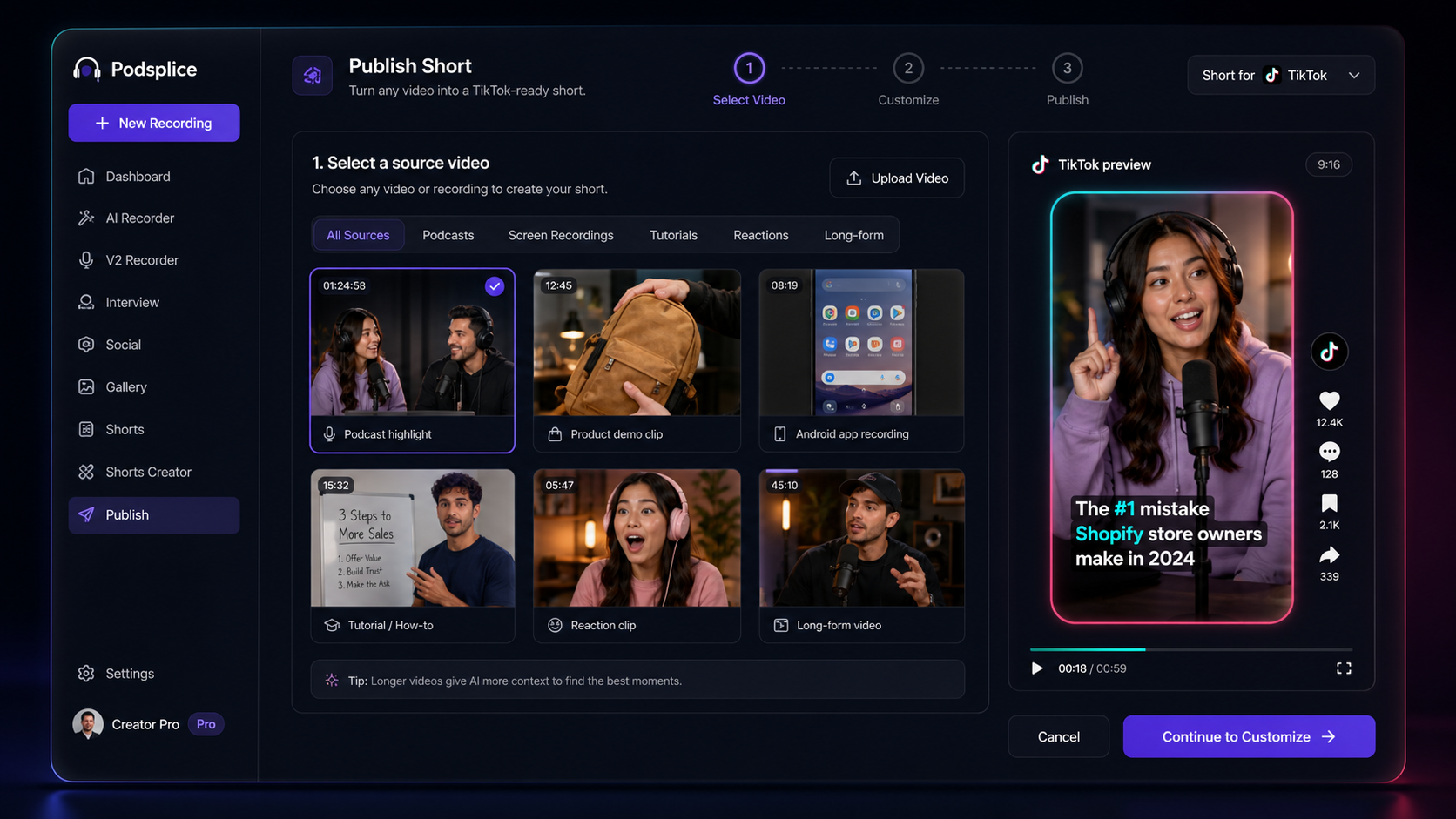
Create or upload the source
Start with a podcast, interview, long video, screen recording, tutorial, reaction, product demo, or Android mobile recording.
Step 2
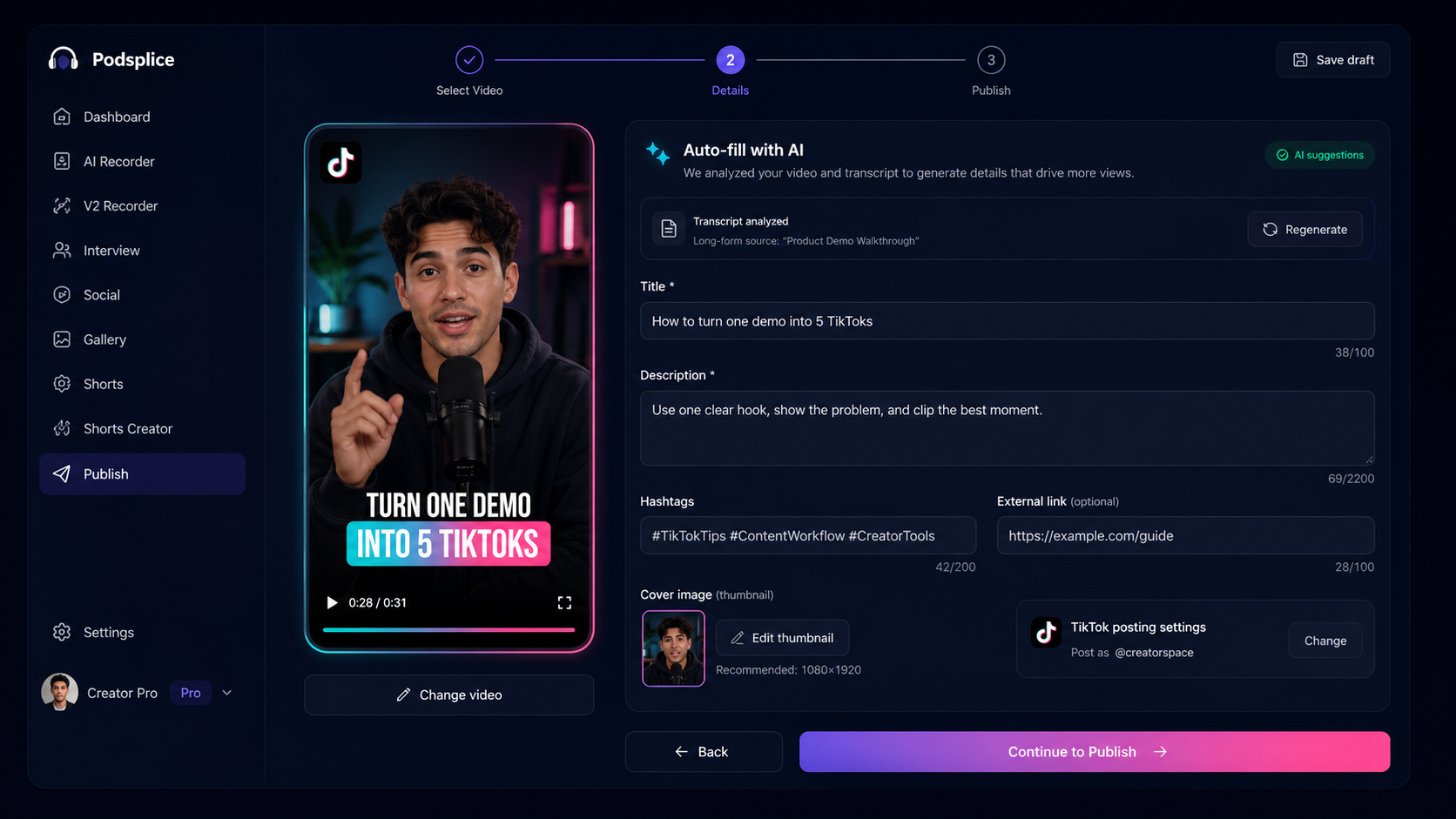
Let AI draft TikTok details
Use the transcript and optional background notes to generate a title, description, hashtags, link, and signature before publishing.
Step 3
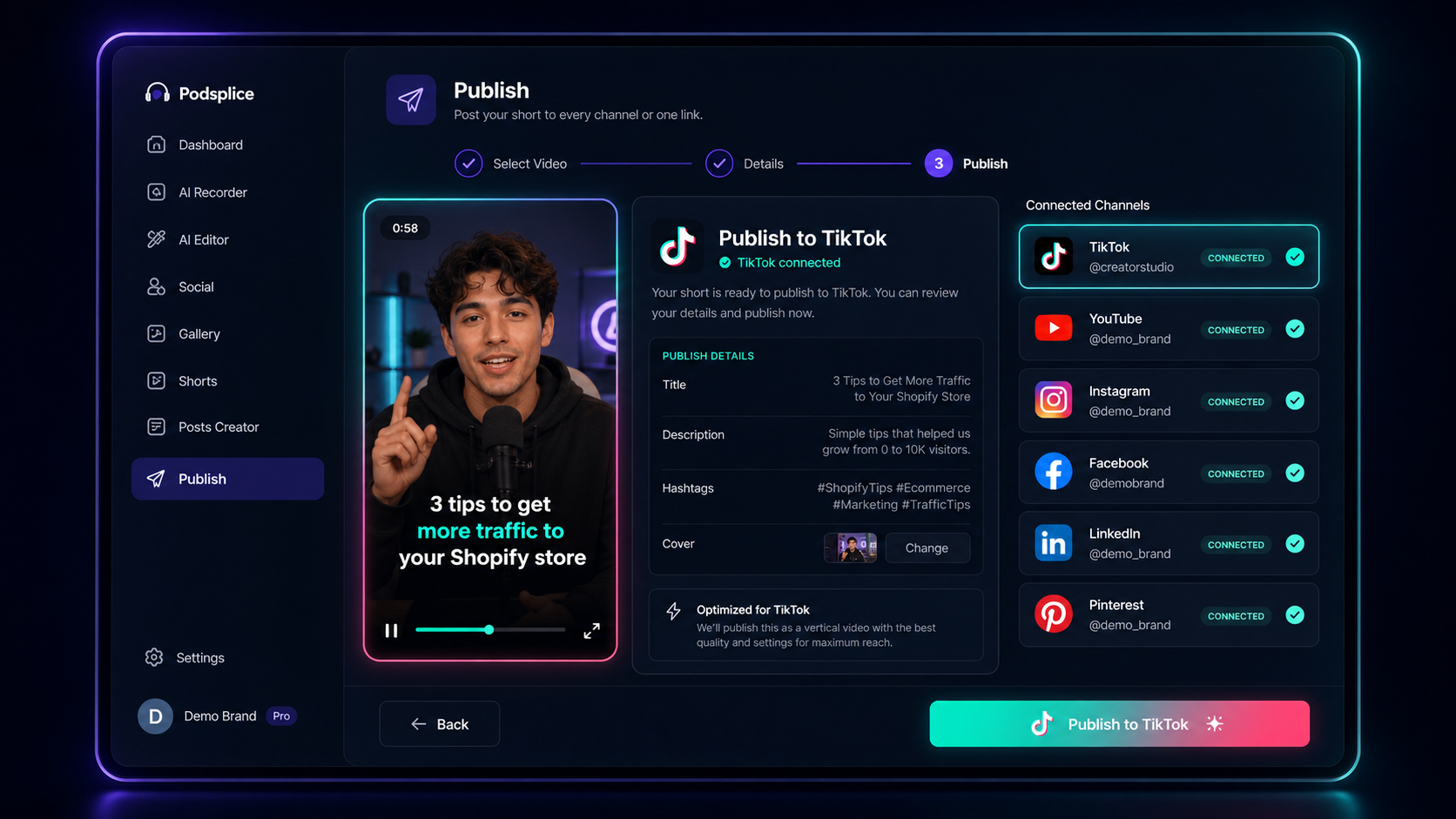
Post with connected accounts
Stay connected to TikTok and other channels so each new short can move from finished clip to live post faster.
What should you post?
Be useful often, not perfect once.
A good TikTok system gives you repeatable formats. You do not need 50 new ideas every week; you need a few formats you can keep testing.
Big idea clips
Pull one strong opinion, lesson, or takeaway from a podcast or recording.
How-to clips
Show the problem, the steps, and the result in a fast vertical tutorial.
Behind the scenes
Show the workflow, narrate what is happening, and keep it real.
Reaction clips
Add your face, voice, or point of view to a clip, trend, question, or quote.
Podcast highlights
Start close to the best line, remove dead air, and add captions.
Search-based answers
Answer a question your audience already searches for on TikTok.
Simple posting framework
A repeatable TikTok plan beats guessing.
Use a weekly rhythm: one big idea, one how-to, one highlight, one reaction, and one behind-the-scenes clip. Then expand the formats that get saves, shares, comments, watch time, or profile visits.
Start with a strong hook.
Make one clear point.
Show something visual.
Add captions and a title.
Post consistently and learn from the data.
Publish faster
Stay connected, then post the next TikTok faster.
Podsplice is built to reduce the repetitive work between finished clip and finished post. Keep TikTok connected, reuse the workflow, and move faster when a new clip is ready.
Persistent account connections
Connect once, then spend less time repeating login and upload steps.
TikTok plus other channels
Focus on TikTok while keeping the option to publish the same short to other social destinations.
Mobile clips too
Record natively with the Android app today, with iOS planned later.
TikTok Posting FAQ
A simple guide to turning existing recordings into TikTok-ready posts.
Your best TikTok may already be inside your latest recording.
Turn podcasts, interviews, tutorials, reactions, screen recordings, and product demos into TikTok-ready clips faster.
Create TikTok Clips with PodspliceSources
The TikTok opportunity stats and creative guidance on this page are based on TikTok, TikTok For Business, Apple App Store, and Pew Research Center sources.
- TikTok For Business - Where Brand Discovery Thrives
- TikTok Ads Help Center - Creative best practices
- Pew Research Center - Social Media and News Fact Sheet
- Pew Research Center - 8 facts about Americans and TikTok
- Pew Research Center - Americans' Social Media Use 2025
- Apple App Store - TikTok - Videos, Shop & LIVE
Turn one recording into TikToks worth posting.
Clip the best moments, generate the post details, publish through connected accounts, and keep learning from what works.