
YouTube Shorts vs. Long-Form Videos for Real Estate Agents: Which Is Better?
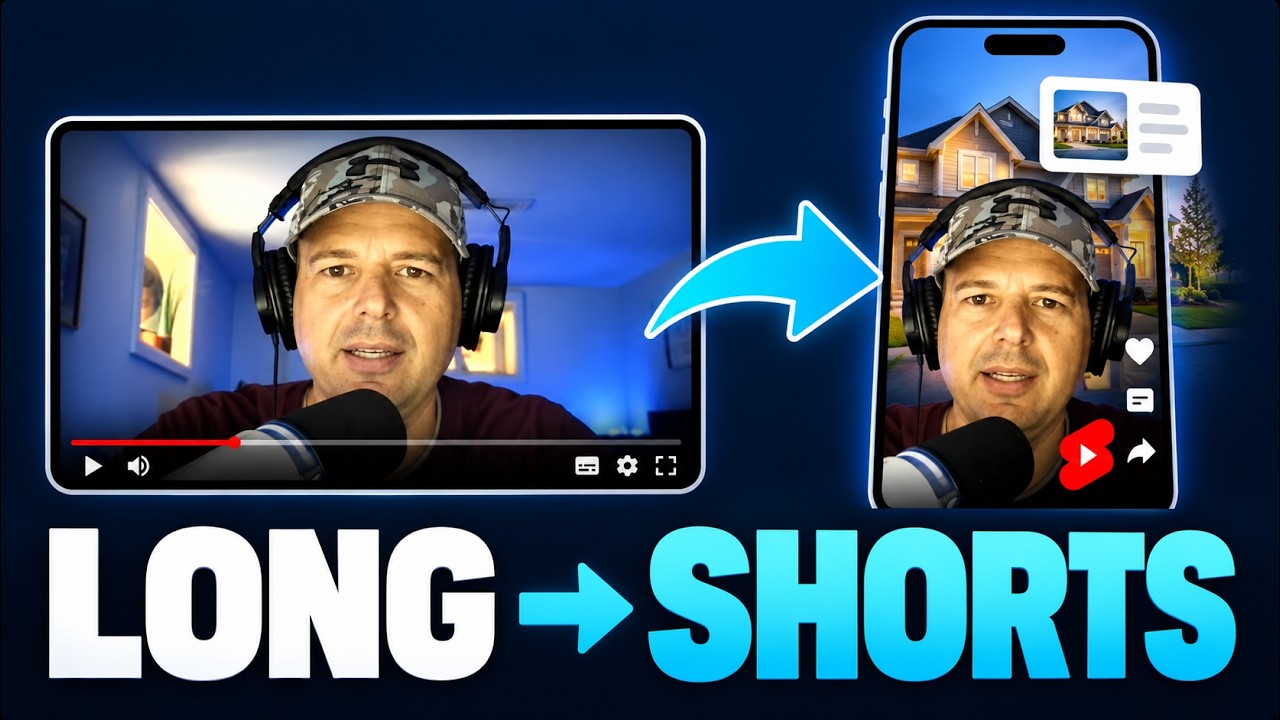
If you’re a real estate agent, should you be making YouTube Shorts or long-form videos? Which converts better? And which is easier to make?
My answer is both.
And here’s the cool thing. You don’t have to record everything twice.
With Podsplice, you can record one long video, use AI to turn it into Shorts with subtitles, and publish those clips to YouTube, Instagram, TikTok, and other social media platforms.
I’m going to show you exactly how to do it.
Watch my demonstration of the one-recording workflow.
1. YouTube Shorts vs. Long-Form Videos: Which Is Better for Real Estate Agents?
I think real estate agents should be making both.
Long-form videos are excellent for building trust.
Imagine you’re a real estate agent in Chicago. You make a 10-minute video about the best neighborhoods for young families. Someone thinking about moving to Chicago watches it. They hear your opinions, learn about different neighborhoods, and get a feel for your personality.
They might watch two or three more videos before ever contacting you. That’s a great way to attract potential clients.
YouTube Shorts are great for getting discovered.
Someone might find your 45-second video about Chicago home prices while scrolling through YouTube Shorts, Instagram, or TikTok. They’ve never heard of you before, but now they have.
I wouldn’t say one format always converts better. Long videos give people more time to get to know you, while Shorts give you another way to reach potential clients. And you don’t have to choose!
By the way, if you hate cold calling and networking, read my article on real estate marketing for introverts.
2. How to Turn Long YouTube Videos Into Shorts With AI
Now here’s where things get interesting.
I use Podsplice to make my YouTube videos. Most of the time, I’m just sitting at my computer, recording my webcam and sharing my screen.
Let’s say you’re a Chicago real estate agent making a video about the best neighborhoods for first-time homebuyers. You record a 10-minute video explaining the neighborhoods, showing property information, and sharing your opinions.
Now, instead of recording another five videos for Shorts, you can turn that one recording into several short videos.
Here’s how it works with Podsplice’s AI Shorts creator:
Record your long-form video with your webcam and screen.
Use AI to transcribe the recording and help find interesting segments.
Turn those segments into vertical Shorts with automatic subtitles.
Choose your layout, review the clips, and publish them to social media.
Record onceWebcam + screenAI clipsSelect moments + captionsLong-form videoExplain the full topicShort clipsShare strong momentsPublishMore places
One recording can supply a full-length video and several short clips.
One of the best features is that Podsplice records your webcam, screen, and audio on separate tracks. Why does this matter?
Let’s say you’re making a reaction video about the Chicago housing market. In the original long video, your face might appear in a small corner while you’re discussing another video on your screen.
When you create a Short, you can put your face at the top and the video you’re reacting to at the bottom. Or you can make your face full-screen for part of it.
You couldn’t do that nearly as easily if everything had been permanently combined into one recording.
Podsplice also creates automatic karaoke-style subtitles. You can customize their appearance or turn them off. I show this exact process in my video above.
You record once and make multiple pieces of content.
3. Publish Your Real Estate Shorts to Multiple Platforms
This is another huge time saver.
Once you’ve made your Shorts, you can publish them to YouTube Shorts, Instagram, TikTok, Facebook, and other supported platforms directly from Podsplice. No downloading everything to your computer, opening five different websites, and uploading the same videos over and over.
I actually have people contact me saying they discovered me on Instagram or TikTok.
Here’s the funny thing.
I hardly ever use Instagram or TikTok myself!
They found me because I was automatically publishing clips from my longer videos. You can do the same thing with your real estate content.
For more details, I’ve written about screen recording software that automatically posts to social media.
4. How to Turn YouTube Viewers Into Real Estate Clients
Now here’s the most important part.
You don’t just want people watching your videos. You want actual buyers and sellers contacting you.
This is where Podsplice Pods come in.
Let’s imagine you’re a real estate agent named Mike, working in Chicago. Mike makes YouTube videos about Chicago neighborhoods, home prices, and moving to the city.
At the end of his videos, he tells viewers they can book a free consultation using the link provided. That link goes to his personalized booking page.
I made an example for Mike. Here’s what it looks like:
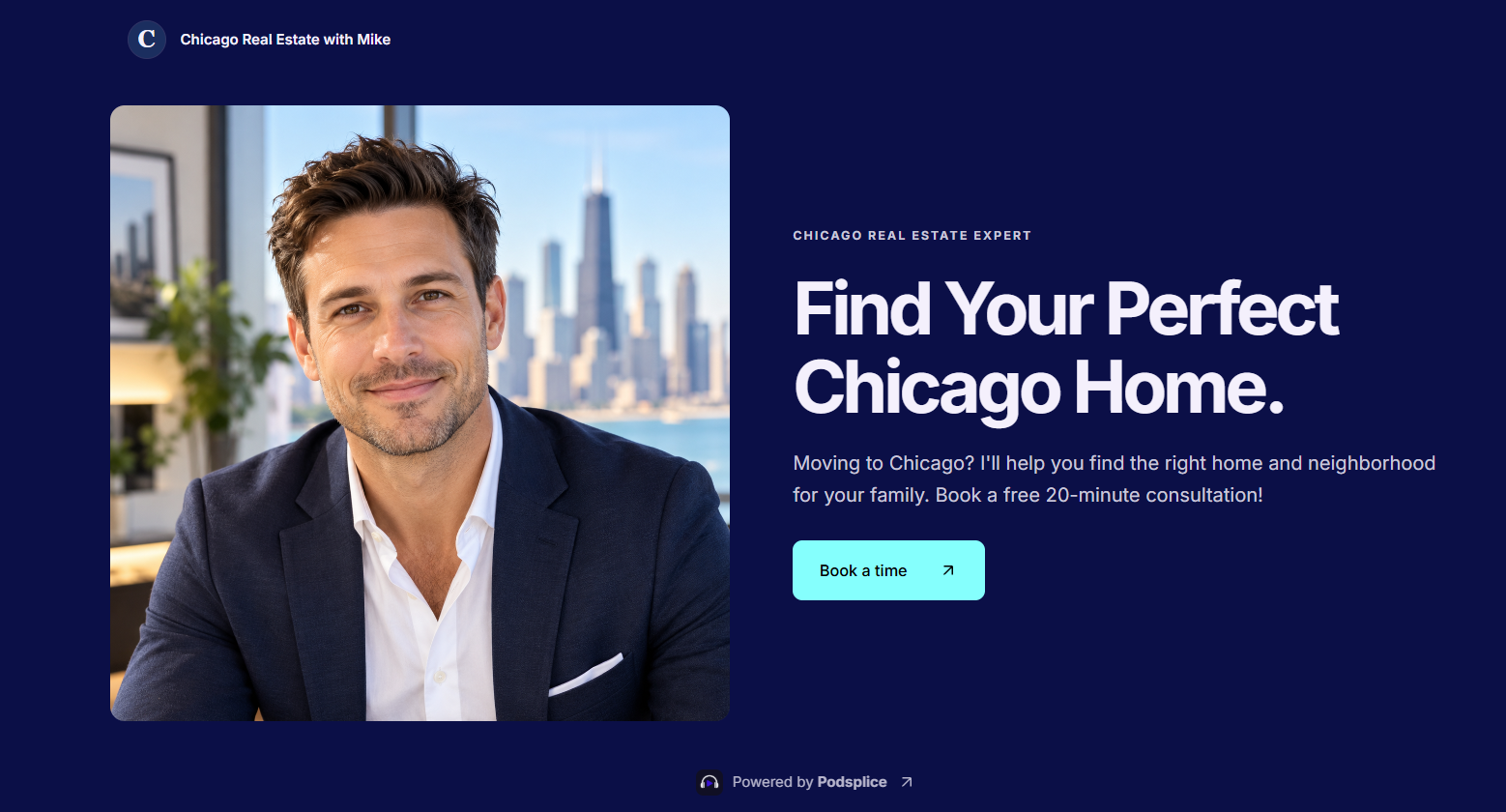
A visual illustration of the fictional Mike example described in the article.
Try Mike’s Example Real Estate Booking Page
On this page, potential clients can learn about Mike and book a time on his calendar. He can also add a qualifying quiz asking questions like:
Are you buying or selling?
What’s your budget?
When are you planning to move?
Now imagine someone booking a call after watching several of Mike’s YouTube videos. They already know his face, his personality, and the neighborhoods he specializes in. And Mike already has information about what they’re looking for.
That’s a completely different conversation from cold calling a stranger.
Mike is a fictional example, and his demonstration calendar doesn’t book real appointments. You can create your own Pod for your real estate business.
I’ve also written a more detailed guide on how to get real estate leads from YouTube.
5. My Recommendation: Make Long Videos First
Here’s what I would do if I were starting a real estate YouTube channel.
Make simple long-form videos about your city, neighborhoods, and local housing market. Record them with your webcam and screen. You don’t need expensive equipment or a professional production team.
Then use AI to turn the best parts into Shorts and publish them across your social media channels. Put your contact or booking link where interested viewers can find it.
Then make your next video.
Record. Turn it into Shorts. Publish. Get leads. Repeat.
And remember, you don’t need millions of views. If you’re selling real estate in Chicago, 100 views from people seriously thinking about buying a home could be worth much more than 10,000 views from people who will never become your clients.
You want the right people watching.
6. Want Me to Help You Set This Up?
I help real estate agents build YouTube content strategies that attract potential buyers and sellers.
For $295 USD, I’ll work with you one-on-one for an hour to help you choose your niche, come up with video ideas, set up Podsplice, create your booking page, and develop a 90-day YouTube content plan.
Book a One-on-One Real Estate Coaching Call
Or, if you’d rather do it yourself, you can get started with Podsplice here.
You don’t need to choose between YouTube Shorts and long-form videos anymore.
Make one good video. Turn it into Shorts. Get it in front of more people. And give interested clients an easy way to contact you.

About the Author
Andrew Best
Andrew Best is an entrepreneur, educator, and AI expert with over two decades in online marketing. He co-founded China232 — a podcast and learning platform with 10M+ downloads — and later 88Herbs, a premium supplement company. Andrew now focuses on helping creators leverage AI for podcasting, screen recording, and YouTube content through Podsplice.
More from Podsplice
YouTube vs. Cold Calling for Real Estate Agents: Which Gets Better Leads?
Article
How to Record an Online Coaching Call (Easy + High Quality)
Article
Best Screen Recording Software: What to Look For in 2026
Article
System Audio vs. Tab Audio: Important Differences for High-Quality Screen Recording
Article
Why You Should NEVER Record a Podcast in Zoom
Article
Start Recording in Seconds
No downloads. No setup. Just hit record and share your story with the world in studio quality.
Looking for a Screen Recorder or Remote Recording tool?