
Best YouTube Video Software for Real Estate Agents (2027)
I'm going to show you why Podsplice is the best software for making YouTube videos as a real estate agent. It is also the easiest and most fun to use.
Podsplice records high-quality screen-recording videos, remote podcasts, and reaction videos, and then clips your content into Shorts and automatically posts them to your social channels (YouTube Shorts, TikTok, Instagram, LinkedIn, etc.)
It lets you use AI to automatically add graphs, charts, maps, and other visuals to your videos without hiring an editor.
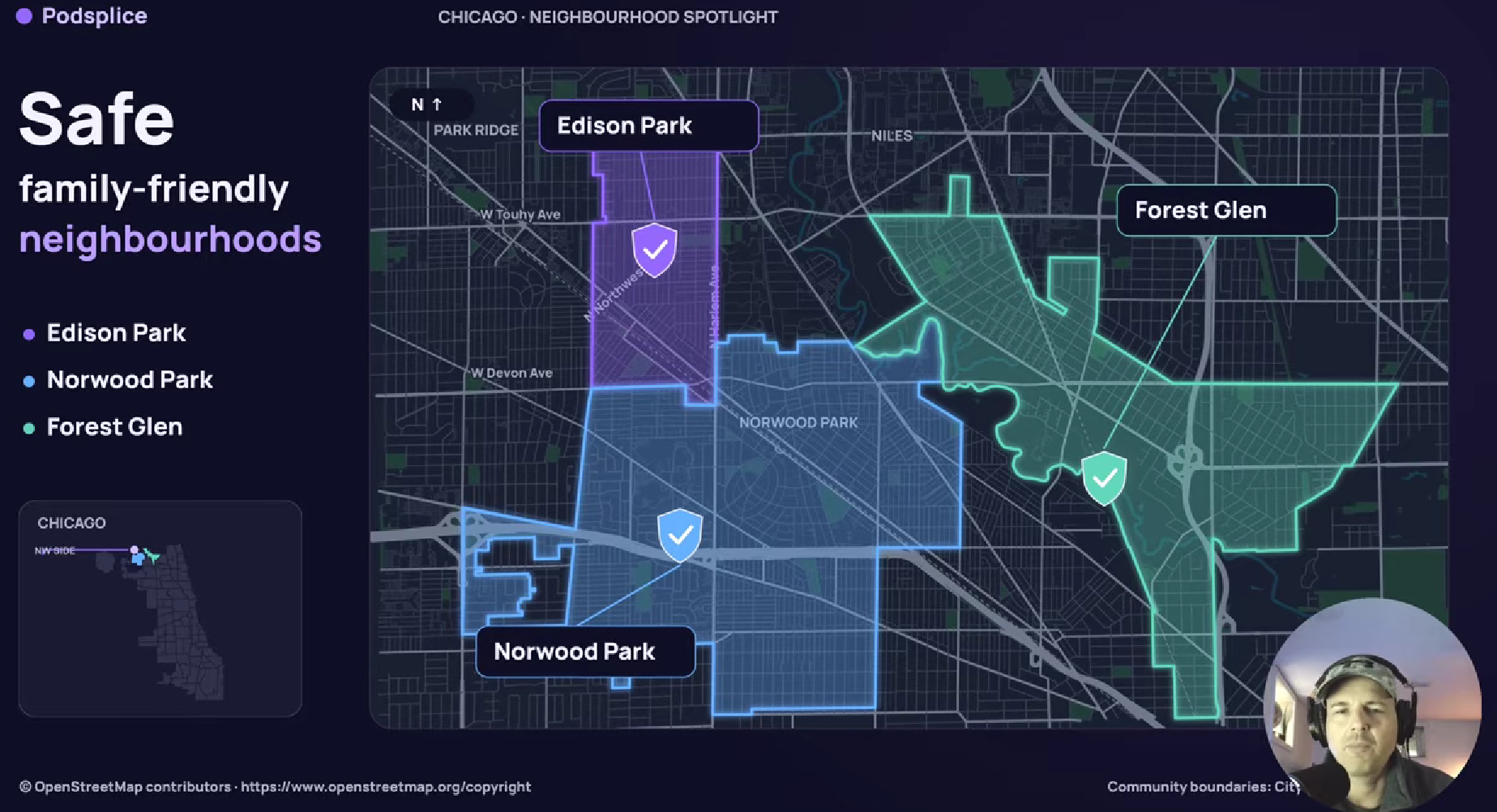
For example, I just made a video with Podsplice (below) where I mentioned the safest neighborhoods in Chicago.
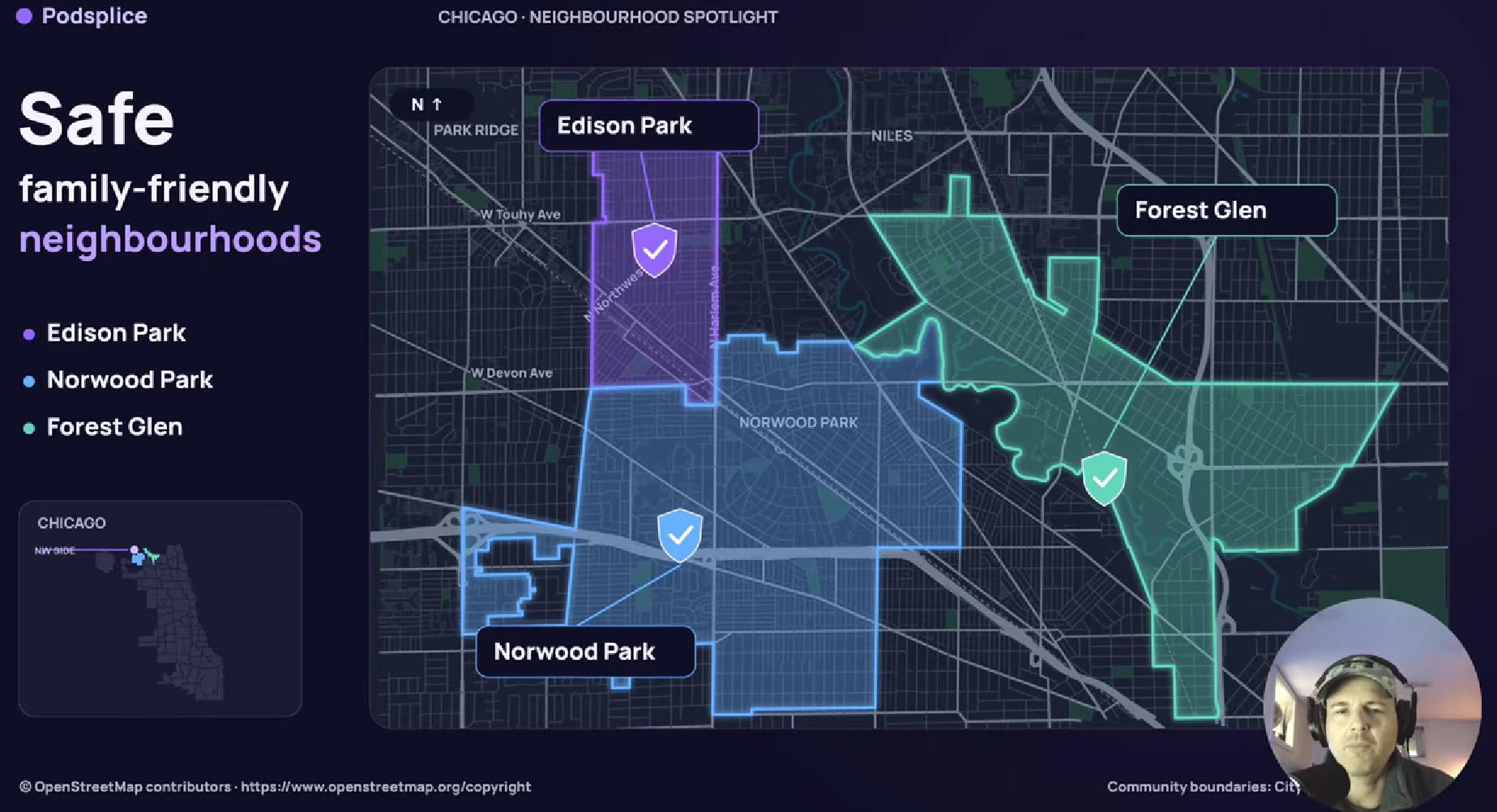
AI made a real map of Chicago and highlighted and animated the safest areas. I didn't need to do anything. Look at this screenshot of the map it made for me.
And here's something else that's really cool.
You can turn the people watching your videos into actual real estate clients, using your own personalized booking page and calendar.
I'll show you how all of this works.
First, here is the screen recording video I made. It was all edited with AI using one single prompt.
Here is why Podsplice is the best screen recording software for real estate agents.
1. AI Video Editing for Real Estate Agents
This is one of my favorite new features in Podsplice.
Imagine you're a real estate agent in Chicago.
You're making a YouTube video, and you say something like:
"Over the past 10 years, home values in Chicago have increased by approximately 40%."
Wouldn't it be nice if a graph automatically appeared showing that increase?
Well, that's exactly what Podsplice does.
The software transcribes what you're saying, and AI creates relevant graphs, charts, and other visuals to add to your video.
Here is what that graph looked like in my video.
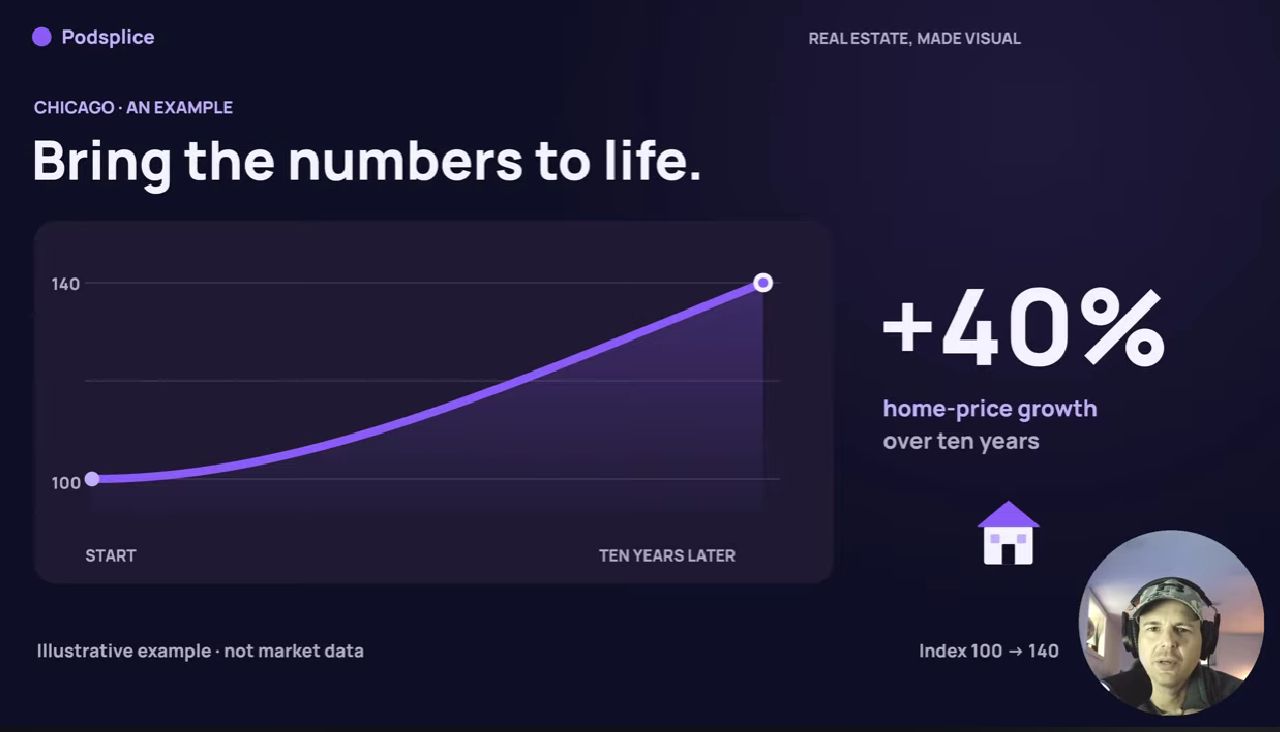
Note: I should have told it to make a graph using real market data, so it wasn't just a smooth line. I could have easily done that. I was just making this video to show what Podsplice can do.
I already showed you the screenshot of the real estate map it made. That was really impressive. Especially because it was accurate, and it was also animated. It made my video so much more watchable.
You don't need to spend hours creating graphics or learning complicated editing software.
You just talk into your camera, and AI helps create the visuals.
Of course, you should check that any statistics and locations shown in AI-generated graphics are accurate before publishing.
2. High-Quality Screen Recording With Separate Tracks
Most screen recording software isn't nearly as good as people think.
Just because software records your screen doesn't mean it records everything in high quality.
You want good video, good audio, and the ability to edit everything separately.
Podsplice records your webcam, microphone, screen, and system audio on separate tracks.
This is a big deal.
For example, you can record yourself talking about Chicago real estate while sharing your screen to show property information or market statistics.
Because everything is recorded separately, you can change the layout later without losing quality.
And it's easy to use. You don't have to download complicated software or figure out OBS scenes.
If you've had problems with poor-quality recordings before, read my article on why screen recordings look blurry and how to fix them.
3. Make Reaction Videos About Your Local Real Estate Market
I think reaction videos are a fantastic opportunity for real estate agents.
Imagine someone makes a video called "8 Best Places to Live in Chicago."
You could record yourself watching that video, pausing it, and giving your own opinions.
You might say:
"I know this neighborhood really well. The homes are beautiful, but they're pretty expensive. If you're looking for something more affordable, I'd consider this other area."
You're showing potential clients that you actually know the city.
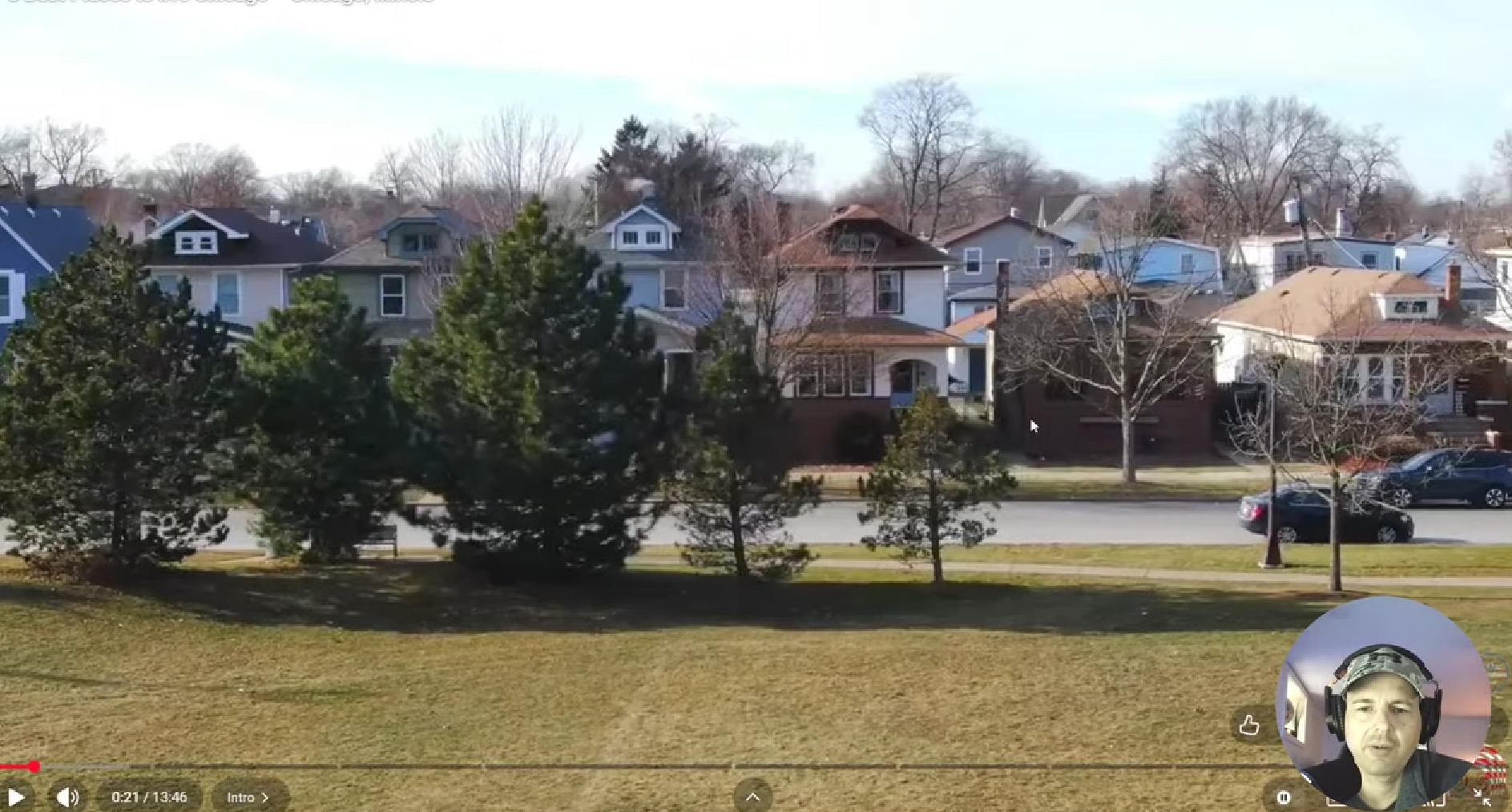
Here is a screenshot of me reacting to a video of Chicago. I'm talking about a certain neighborhood. You can see my face in the corner.
One important feature is system audio recording.
Most screen recording software can't make reaction videos because most of them can't record system audio (internal audio). That is the sound coming from the video you are reacting to.
With Podsplice, you can hear the audio from the video you're reacting to, while your own microphone is recorded separately.
And it works on both Mac and Windows. It is browser-based, so you aren't downloading or installing anything.
You don't need to spend an hour configuring OBS. Open your browser, start recording, and talk.
For more details, see Podsplice's reaction video software.
4. Automatically Turn Long Videos Into YouTube Shorts
Now here's another huge time saver.
Let's say you just made a 10-minute YouTube video about the Chicago housing market.
You don't want to record another five videos just to make Shorts.
With Podsplice's AI Shorts creator, you don't have to.
The software can help find interesting parts of your long video and turn them into vertical Shorts.
It also adds automatic karaoke-style subtitles.
Because your webcam and screen were recorded on separate tracks, you can rearrange everything for the vertical format.
For example, you might put your face at the top and the video you're reacting to underneath.
Here is a Short I just made of the same real estate video. I didn't need to record twice. Podsplice clipped this, put it in the vertical format, added subtitles, and made everything look great.
You can also customize the captions and layouts.
So instead of making one video, you now have your original long-form video plus multiple Shorts that you can publish.
5. Publish Your Videos to Social Media in One Click
If you've ever published videos to multiple social media platforms, you know how annoying it can be.
Download the video. Open Instagram. Upload it. Open TikTok. Upload it again. Then Facebook. Then YouTube.
Who wants to do all that?
With Podsplice, you connect your social media accounts and publish your finished videos across supported platforms from one place.
You don't need to keep downloading and uploading the same clips.
I've actually had people contact me after discovering my videos on Instagram and TikTok.
The funny thing is, I hardly ever use Instagram or TikTok myself.
The clips were published there through Podsplice.
Here's more about automatically publishing screen recordings to social media.
6. Record Remote Podcasts and Interviews
Another great way to attract real estate clients is to interview people who know your city.
You could interview mortgage brokers, home inspectors, local business owners, or other experts.
Podsplice lets you record high-quality remote podcasts and video interviews.
Unlike an ordinary video-call recording, Podsplice records participants locally and combines their recordings afterward.
That means you can get high-quality video and audio even when you're recording with someone in another location.
I use it myself to record remote podcasts with my brother.
And here's the cool part.
You can take those interviews and turn them into Shorts, too.
Learn more about recording remote podcasts with Podsplice.
7. Turn YouTube Viewers Into Real Estate Clients
Now here's probably the most important feature for real estate agents.
You don't just want people watching your videos.
You want interested buyers and sellers booking appointments with you.
That's why we created Podsplice Pods.
A Pod is your own personalized landing page where people can contact you, answer qualifying questions, and book appointments using your calendar.
I made an example for a fictional Chicago real estate agent named Mike.

Try Mike's Example Real Estate Booking Page
Mike can ask potential clients questions before they book, such as:
Are you buying or selling?
What's your budget?
Are you currently living in Chicago?
Then they choose a time on his calendar.
The example is fictional, so it doesn't book a real appointment. But you can create your own working Pod for your business with a calendar that actually works and books real appointments for you.
Now imagine someone booking a call after watching three of your YouTube videos.
They already know your face, your personality, and something about your knowledge of the local market.
You also know something about what they're looking for.
That's infinitely better than cold calling a stranger!
I've written a separate guide explaining how to get real estate leads from YouTube.
And if you hate cold calling, door knocking, and constantly networking, you might also like my article on real estate marketing for introverts.
8. Want Me to Help You Set This Up?
I also work one-on-one with real estate agents who want help getting their YouTube marketing started.
For $295 USD, I'll work with you for an hour to help you choose your niche, develop video ideas, set up Podsplice, create your booking page, and build a personalized 90-day YouTube content plan.
Book a One-on-One Real Estate Coaching Call
Or, if you'd rather get started yourself, check out Podsplice.
You don't need expensive equipment, a video production team, or five different software programs.
Make useful YouTube videos, let AI handle much of the editing and publishing, and give interested clients an easy way to contact you.

About the Author
Andrew Best
Andrew Best is an entrepreneur, educator, and AI expert with over two decades in online marketing. He co-founded China232 — a podcast and learning platform with 10M+ downloads — and later 88Herbs, a premium supplement company. Andrew now focuses on helping creators leverage AI for podcasting, screen recording, and YouTube content through Podsplice.
More from Podsplice
How to Record Full Screen Webcam and Screen Share at the Same Time
Article
YouTube vs. Cold Calling for Real Estate Agents: Which Gets Better Leads?
Article
How to Record an Online Coaching Call (Easy + High Quality)
Article
How to Record YouTube Audio on Mac (The Easiest Way in 2026)
Article
Why You Should NEVER Record a Podcast in Zoom
Article
Start Recording in Seconds
No downloads. No setup. Just hit record and share your story with the world in studio quality.
Looking for a Screen Recorder or Remote Recording tool?